

In today’s fast-paced digital world, user experience (UX) design is more crucial than ever. It’s not just about making things pretty; it’s about crafting intuitive and enjoyable experiences for users. Imagine your frustration when trying to navigate a poorly designed website—it’s not fun, right?
That’s where UX design comes into play. It focuses on understanding and optimizing how users interact with products and services. By prioritizing the user’s needs and behaviors, designers create seamless and effective digital solutions. So, whether you’re building a new app or redesigning a website, integrating solid UX principles can significantly enhance user satisfaction. Let’s dig deeper into how UX design can transform digital interactions into pleasurable experiences.
Understanding User Experience (UX) Design
- User Experience (UX) Design is crucial in creating engaging digital products. UX design focuses on optimizing how users interact with a product, ensuring it is intuitive and enjoyable. It involves understanding user behaviors, preferences, and limitations, shaping the overall experience to meet those needs.
- Core principles of UX Design are the foundation of creating user-friendly products. These principles are essential guidelines that ensure products are not just functional but also engaging and satisfying to use.
- Usability is a core principle that emphasizes ease of use. A usable design means users can achieve their goals with efficiency and satisfaction. It includes elements like intuitive navigation, clarity in instructions, and a consistent interface. By prioritizing usability, designers can reduce user frustration and improve overall satisfaction.
- Accessibility ensures that a product can be used by everyone, including people with disabilities. This principle requires designers to consider various impairments, such as visual, auditory, or motor limitations. Implementing features like screen readers, voice commands, and adaptable font sizes helps make products accessible to a broader audience.
Short Note: Accessibility is a legal requirement in many countries, making it vital for compliance as well as user satisfaction.
- Desirability focuses on creating an emotional connection with the user. This is achieved by designing interfaces that are visually appealing and pleasant to use. Desirable products not only meet users’ needs but also bring joy and satisfaction through aesthetics, brand reputation, and user engagement elements.
The Importance of User-Centric Design
This approach lies in its focus on the user’s needs and experiences. By centering design processes around the user, products become intuitive and engaging, resulting in higher user satisfaction and retention rates.
- Empathy in design involves understanding and sharing the feelings of users. It means designing with a deep awareness of users’ experiences, frustrations, and delights. By incorporating empathy, designers can create solutions that truly resonate with users, addressing their real-world challenges effectively.
- User Journey Mapping is a technique that visualizes the user’s interaction with a product over time. It helps designers identify pain points and moments of delight within the user’s experience. By mapping the user journey, designers can make informed decisions to enhance the overall experience, ensuring users have a seamless and cohesive interaction with the product.
Short Note: A well-crafted user journey map is a powerful tool to gain insights into user behavior and optimize the experience accordingly.
UX Design Process
The UX design process is an essential roadmap for delivering engaging and efficient user experiences. It encompasses several stages that help in translating user needs into functional designs, ensuring the final product is user-friendly and fulfills market demands.
Research and Analysis
User interviews and surveys are fundamental to understanding the target audience’s requirements and preferences. This step involves engaging with potential users directly and gathering qualitative data about their behaviors, goals, and challenges. By using structured and open-ended questions, designers can gain deep insights into user motivations.
Note: Open-ended questions can lead to more comprehensive insights, as they allow users to express themselves freely.
Competitive analysis is another crucial aspect of the research and analysis phase. It involves examining the strengths and weaknesses of competitors’ products to identify market opportunities. By understanding what competitors offer and where they may fall short, designers can craft unique, compelling solutions.
Wireframes and Mockups
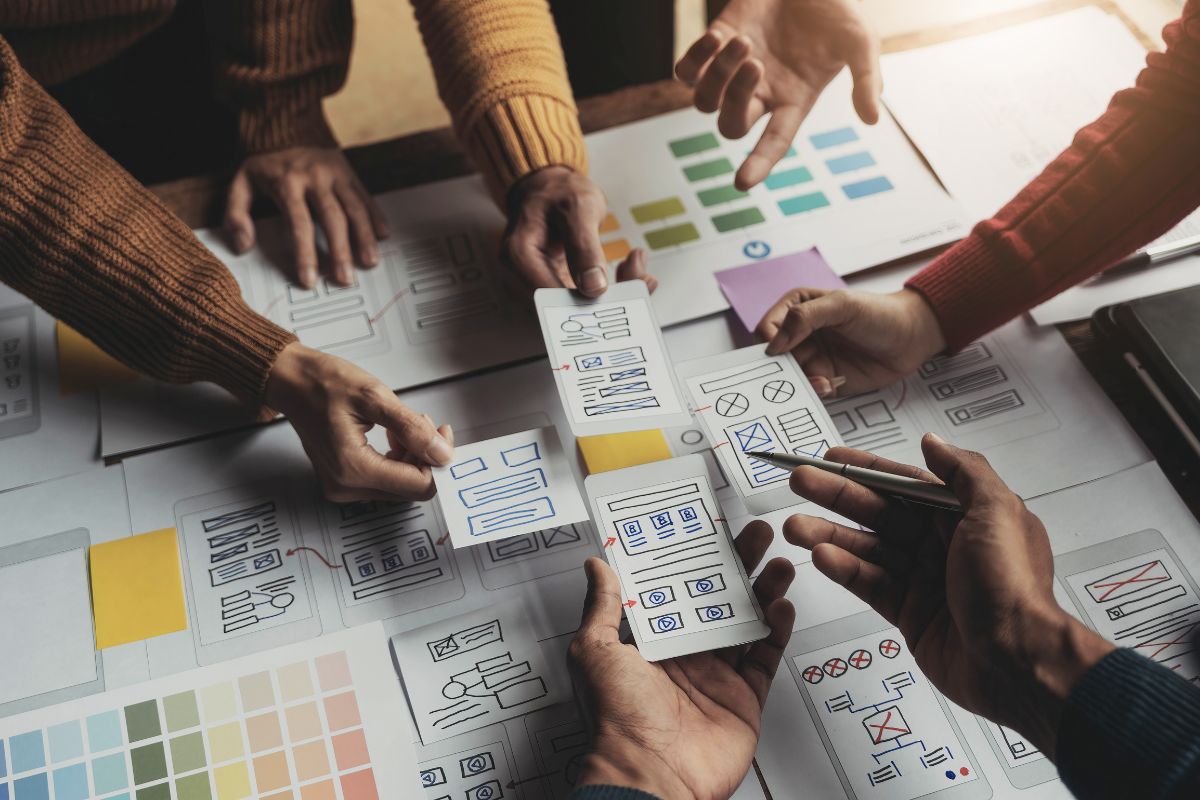
Design and prototyping start with creating wireframes and mockups. Wireframes provide a basic structure of the product’s layout, helping designers map out elements without any distractions of color or graphics. These skeletal designs focus on functionality and flow.
Mockups build on wireframes and introduce visual details such as colors, fonts, and images. They present a more detailed visual representation of the intended design and help in making initial assessments on the look and feel of the product.
Interactive Prototypes take the design process a step further. By simulating real product interactions, they allow designers to explore usability issues and refine user interface (UI) elements. Prototyping tools like Marvel or Adobe XD can be employed to create clickable prototypes that provide a near-real experience for testing.
Testing and Iteration
Usability Testing helps in validating the product’s design by observing real users interacting with it. This process identifies any usability issues or confusing areas that may hinder the user experience. By employing test sessions, designers gather valuable feedback that is critical for improving the final design.
Feedback-Based Iteration is the cornerstone of improving design solutions. Post usability testing, the feedback collected is used to make informed design iterations. Continuous improvement ensures the design remains user-centric and adaptable to evolving user needs. Revisiting the design loop after each round of feedback helps achieve the best possible user experience.
By understanding and carefully executing each step in the UX design process, designers can create products that resonate well with users and stand out in the market.
Tools and Techniques in UX Design
Understanding the array of tools and techniques in UX design can significantly elevate your project’s quality and user satisfaction. In this section, we delve into how popular tools streamlining the design process and techniques that enhance the user experience.
Popular UX Design Tools
In creating stellar UX designs, tools play a pivotal role. These tools not only help in crafting stunning designs but also facilitate collaboration, prototyping, and user feedback.
Sketch – is one of the most beloved design tools among UX designers. Known for its user-friendly interface and extensive features, Sketch provides designers with everything they need to create interfaces efficiently. Its vector-based design workflow helps in creating pixel-perfect designs. Additionally, Sketch’s robust plugin ecosystem enables designers to extend its functionality in numerous ways, from animation to data integration. Collaborators also love its cloud sharing capabilities, which allow real-time feedback and iteration.
Figma – has quickly carved a niche in the UX design world with its cloud-based capabilities. Designers appreciate Figma for its collaborative nature, which lets multiple users work on a project simultaneously, much like Google Docs for designers! Its real-time collaboration is perfect for teams spread across different locations, ensuring seamless coordination. Figma’s prototyping features are easy to use and highly effective for creating interactive demos. With extensive libraries and community-driven resources, Figma supports teams in building consistent and reusable design elements effortlessly.
Techniques for Enhancing UX
In addition to tools, employing effective techniques can greatly enhance the overall UX. By embracing experimentation and user insights, designers can fine-tune their products to meet user expectations.
A/B testing plays a crucial role in determining what design elements work best with the audience. By presenting users with two versions of a design simultaneously, designers can analyze which version performs better concerning defined metrics like user engagement or conversion rates. This approach allows for data-driven decisions rather than relying solely on assumptions. A/B testing helps to incrementally improve user interfaces, ensuring the end product resonates well with users.
Developing personas and scenarios is an integral technique in crafting user-centered designs. By creating fictional characters based on real user data, designers get a comprehensive understanding of user motivations, goals, and pain points. Personas allow teams to keep the target audience at the heart of every design decision. Scenarios, on the other hand, involve crafting stories about how these personas would interact with the product in various contexts. This practice helps identify potential user paths and challenges, leading to well-rounded and empathetic design solutions.
Note: Incorporating tools like Sketch and Figma with techniques like A/B testing and persona creation can lead to a holistic and user-centric design process, ultimately ensuring a delightful user experience.
By leveraging the right tools and implementing effective techniques, UX designers can significantly enhance the product’s usability and desirability. These approaches are key to creating engaging and intuitive user experiences that align with user needs and expectations. 💡
Future Trends in UX Design
Understanding future trends in UX design is essential for professionals looking to stay ahead in this rapidly evolving field. As technology advances, the ways in which users interact with digital products also transform. Here, we will explore how innovations like artificial intelligence, machine learning, voice interfaces, and gesture navigation are shaping the future of user experience.
Artificial Intelligence and Machine Learning
Artificial intelligence and machine learning are at the forefront of modern UX design, revolutionizing the way designers approach creating user-friendly products.
Personalized user experiences have become increasingly important with advancements in AI. Personalization customizes the user experience based on individual preferences and behaviors. AI algorithms analyze user data to provide tailored content and suggestions, enhancing engagement. For example, Netflix employs machine learning to recommend shows based on previous viewing habits. This personalization improves usability and user satisfaction, creating a more engaging experience.
Automation in design processes leverages machine learning to streamline tasks, allowing designers to focus on creativity rather than repetitive tasks. Tools that automate layout creation or adapt interfaces in real-time based on user interactions are becoming more common. This process not only saves time but ensures users have a seamless experience. Furthermore, automation enhances the ability to quickly test multiple design variations, accelerating the iteration process.
Voice and Gesture Interfaces
The growing popularity of voice and gesture interfaces is transforming how users interact with technology, making it more intuitive and versatile.
Voice User Interfaces (VUIs) are becoming ubiquitous in devices such as smartphones, smart speakers, and even cars. They allow users to interact with systems using natural language, providing a more intuitive experience. Companies like Amazon with Alexa and Apple with Siri have revolutionized how users can perform tasks hands-free, offering convenience and accessibility. As these interfaces become more advanced, they will likely play an integral role in creating user-friendly experiences.
Gesture-based navigation is a trend bringing a new dimension to user interactions, enabling users to control devices with physical movements. This innovative navigation method is especially beneficial in environments where touchscreens may be impractical or less hygienic. Gesture interfaces are being integrated into technologies like AR/VR, changing the landscape of interaction, making it crucial for UX designers to consider gestures’ role in the design process.
As these future trends continue to develop, it’s imperative for UX designers to adapt their strategies to incorporate these innovations, ensuring they meet the ever-changing expectations of users.