

Automate the boring stuff, keep the human stuff
The goal was never to remove yourself from your business. It’s to stop spending your best hours on the parts of it that don’t need a person at all.
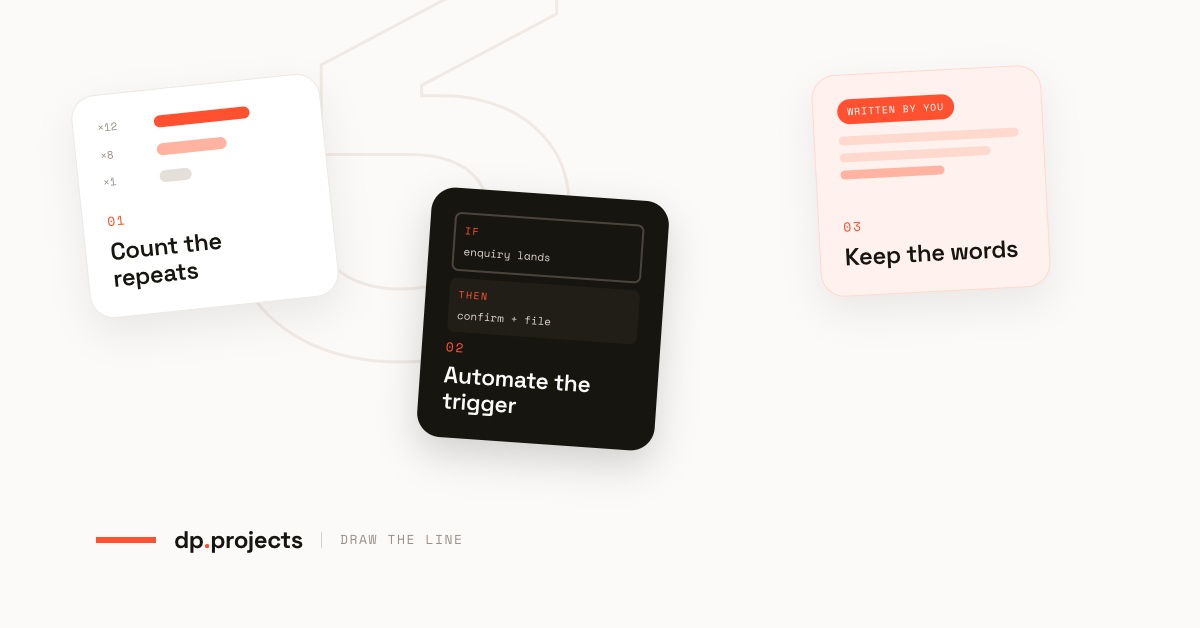
Count the repeats. Automate the trigger. Keep the words.
Every conversation we have about automation starts in the same nervous place: if I automate this, will it feel like a robot runs my business?
Automate the reminders. Never automate the relationship.
That’s the whole line, and it’s a surprisingly practical one. Most of what eats a working week isn’t relationship work at all, it’s the confirmation you retype twice a day, the invoice you chase on day seven, the file you drag into the right folder afterwards. None of that needs your judgement. All of it needs doing.
So the question isn’t whether to automate. It’s knowing exactly where your line sits, and then holding it. Here’s how we draw it with clients.
Fewer tasks on you. The same voice on every message.
Count the repeats before you buy anything
For one week, keep a note of anything you do more than three times. Not the big things, the small ones you don’t notice: sending the same address, renaming a download, copying an enquiry into a spreadsheet, replying “yes, Thursday works.”
By Friday you’ll have a list, and the list sorts itself. Frequency times annoyance equals what to automate in your business first. It is almost never the impressive thing, it’s the twelve-times-a-week thing you’d stopped counting.
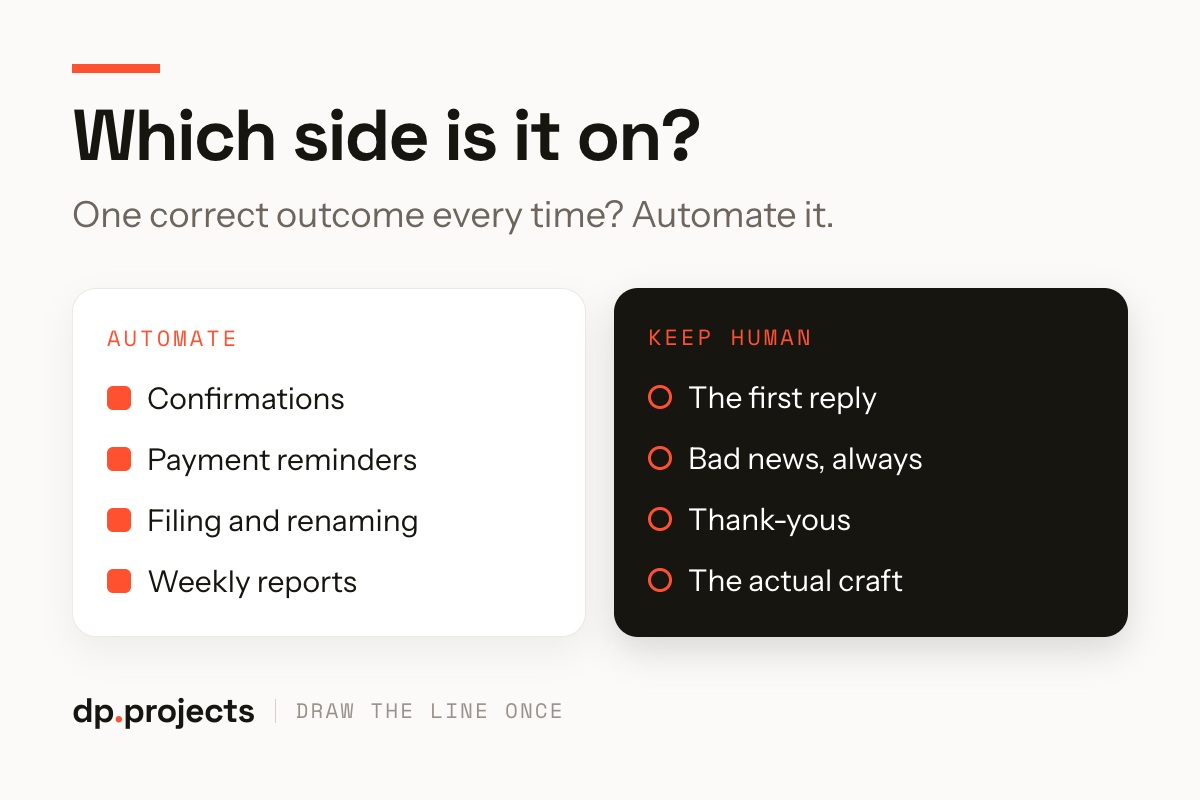
One correct outcome every time? That side is safe to automate.
Automate the trigger, not the tone
This is the distinction that saves the whole thing. An automation has two halves: the moment it fires, and the words it sends. The first half is mechanical, day seven, enquiry received, project marked complete. Let the machine own it entirely.
The second half is yours. Write the message once, in your voice, the way you’d say it out loud: “Hi Ana, invoice 118 is still sitting on our side. Want me to push it to next month?” It costs ten minutes and it never reads like software.
A machine that remembers on your behalf is a good assistant. A machine that talks on your behalf is a risk you didn’t need to take.
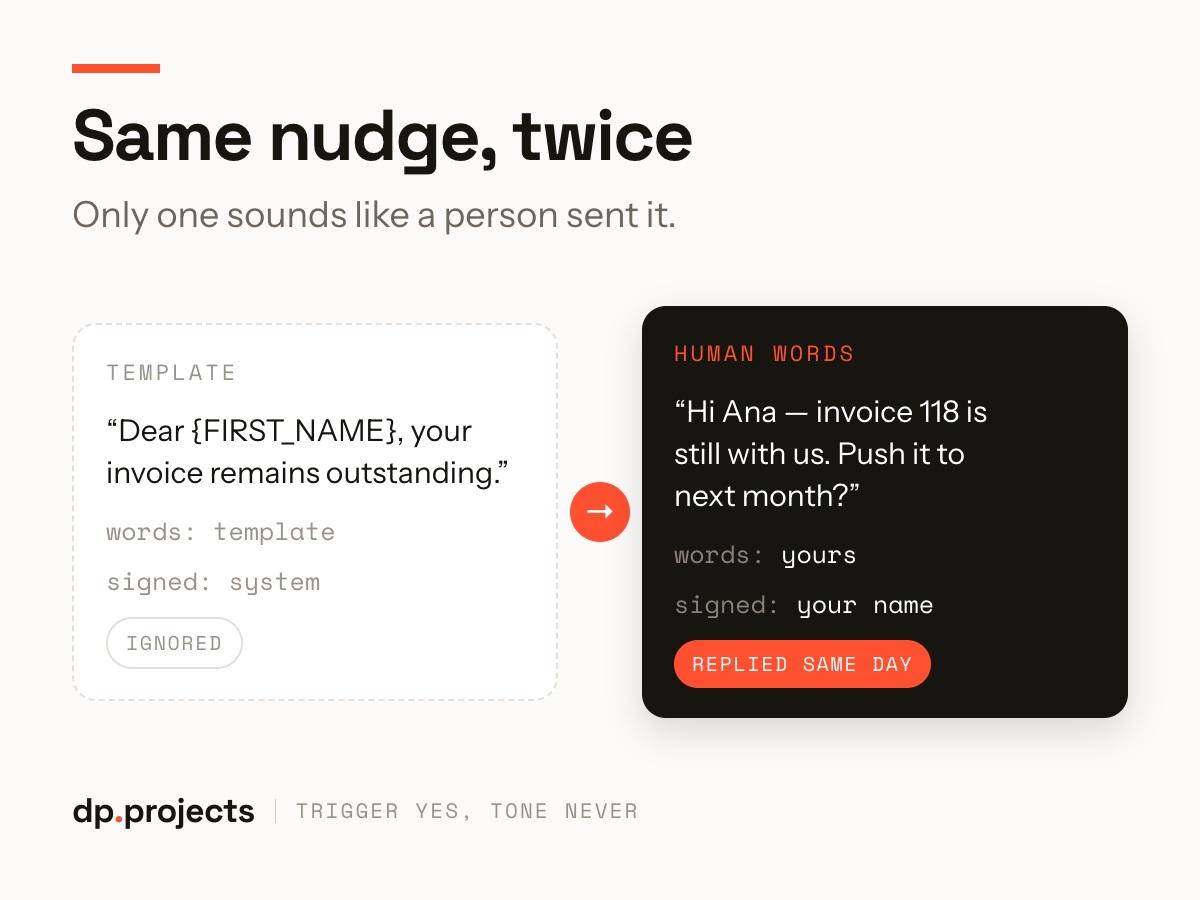
Both went out on day seven. Only one got answered.
Protect the moments that earn the work
Some things stay human permanently, and it’s worth naming them so nobody quietly automates one on a busy Tuesday. Ours: the first reply to a new enquiry, any bad news, thank-yous, pricing conversations, and the craft itself.
The test is simple. Would you be uncomfortable if the person on the other end found out it was automatic? If yes, that’s not an automation, that’s a shortcut through the part of the business that earns you the next project.
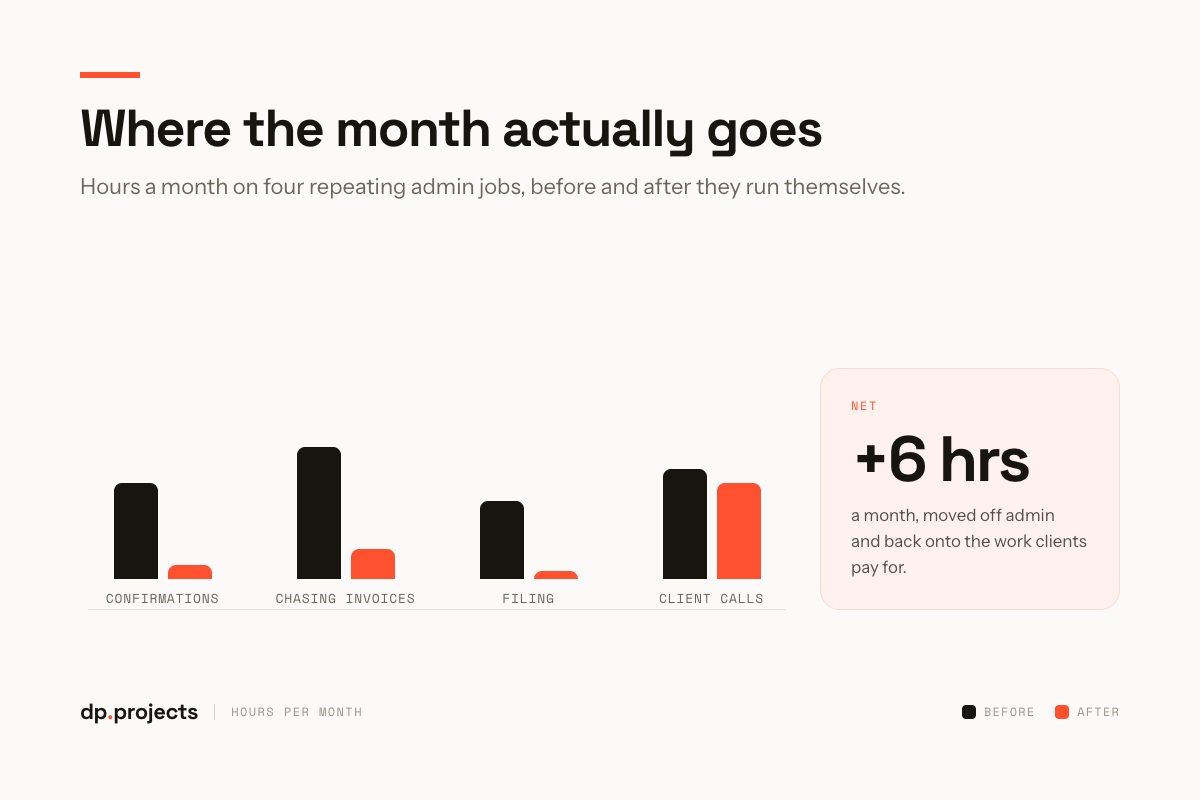
Admin hours fall. Time with clients stays exactly where it was.
What actually changes
You don’t get a dramatically different week. You get about six hours of it back, and, more usefully, you stop carrying the mental list of small things that have to happen today or someone gets forgotten.
Clients notice the opposite of what you’d expect. Nothing feels more automated; a few things feel more attentive, because the reminder now arrives on time and the reply comes from someone with an hour to think.
Three rules that stop this backfiring
Automation goes wrong in predictable ways. These three keep it on the right side of the line.
Pick one job off your repeats list this week, the confirmation, probably, and automate the trigger while you write the words yourself. One is enough to feel the difference.
Start with whichever one annoys you most. It’s usually the one you’ve stopped noticing you do.
Is it the admin, or the way the work is set up?
We’ll map your week, automate what’s genuinely mechanical, and hand the rest back to the people it needs.