



Map your workflow before you automate.
Automation feels like the obvious next move when a growing team gets busy. But automating a broken process just breaks things faster. Here’s how we map a workflow first, so the tools you buy actually pay off.
DP Projects
6 min read
Growth & Operations
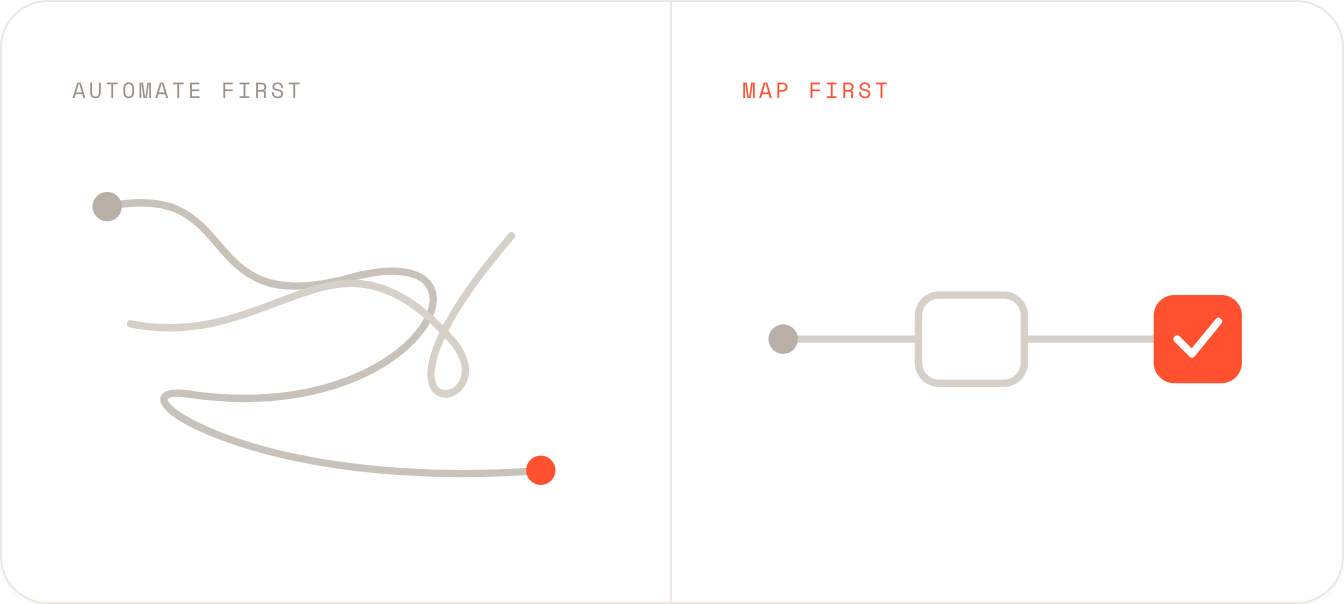
Every scaling company hits the same moment. The team is stretched, the same tasks keep eating the same hours, and someone says the magic word: let’s automate it. A tool gets bought, a few weekends get spent wiring it up, and for a while it feels like progress.
Then the cracks show. The automation fires at the wrong time, skips the one step that actually mattered, and creates a new kind of mess that now needs its own workaround. Here’s the uncomfortable truth: automation doesn’t fix a messy process. It scales it. If you automate a workflow you never fully understood, you just make the confusion run faster and cost more.
Why so many automation projects quietly fail
You can’t automate what you can’t see
Most workflows were never designed. They accreted. Someone added a step to solve a problem in 2022, a tool got bolted on the following year, and a manual handoff crept in because two teams didn’t quite trust the system. Nobody sat down and drew the whole thing, so nobody can see where the real friction lives.
Mapping makes the invisible visible. When you lay a process out end to end, the same three things always surface: steps that duplicate each other, handoffs where work sits waiting, and decisions no clear rule governs. Those are the things worth fixing. And notice: none of them is solved by buying software. They’re solved by seeing clearly first.
How to map a workflow
You don’t need special software to do this well. A whiteboard and the people who actually do the work will get you most of the way. We run it in four passes.
Skip straight to step four and you’re paying to speed up problems you could have deleted for free.
What a mapped workflow reveals
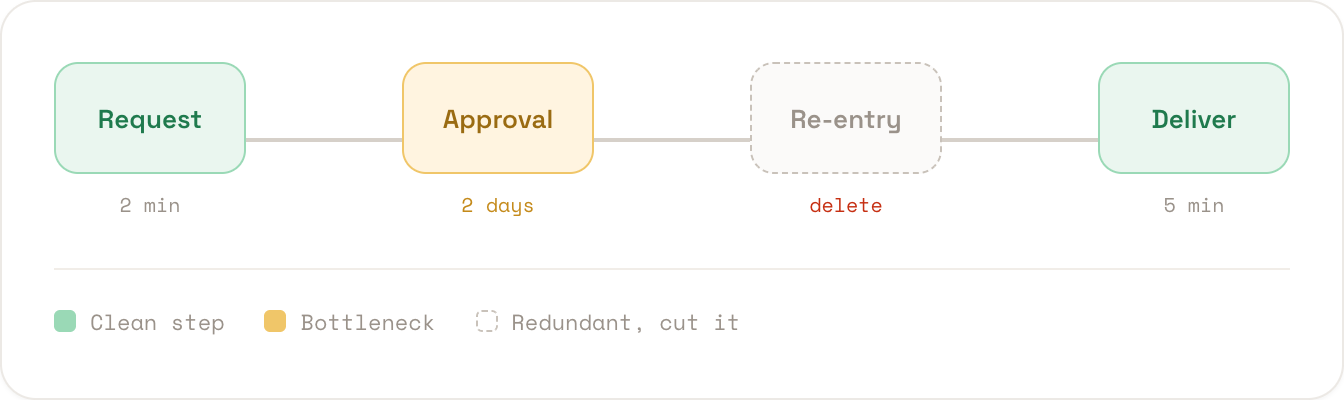
Laid out as a line, a process shows its own weak points. Green steps are clean. Amber is a delay. The dotted step is pure redundancy you can delete before automating anything.
Which steps are worth automating
Not everything should be automated. The best candidates score high on frequency and rule-clarity, and low on the need for human judgement. Plot a step against these and the answer is usually obvious.
Map first, then automate: the payoff
When we mapped a client’s onboarding workflow before touching a single tool, a third of the steps turned out to be redundant. Cutting them first meant the automation we did build was simpler, cheaper, and far more reliable.
Automation is a force multiplier, and that’s exactly why the thing you multiply has to be right first. Map the workflow, cut what doesn’t earn its place, and then let the tools do what they’re good at. Do it in that order and automation becomes an investment. Skip the map, and it’s just an expensive way to go faster in the wrong direction.
Ready to automate the right things?
We’ll map your workflow, cut the waste, and build automation that actually pays off. Book a discovery call and we’ll find your quickest wins together.