


Name Your Files So Future-you Can Find Them
“FINAL_final_v3_USE-THIS.pdf” is a cry for help. One naming convention, date, project, what it is, version and anyone on the team finds the right file in seconds, without asking you first.
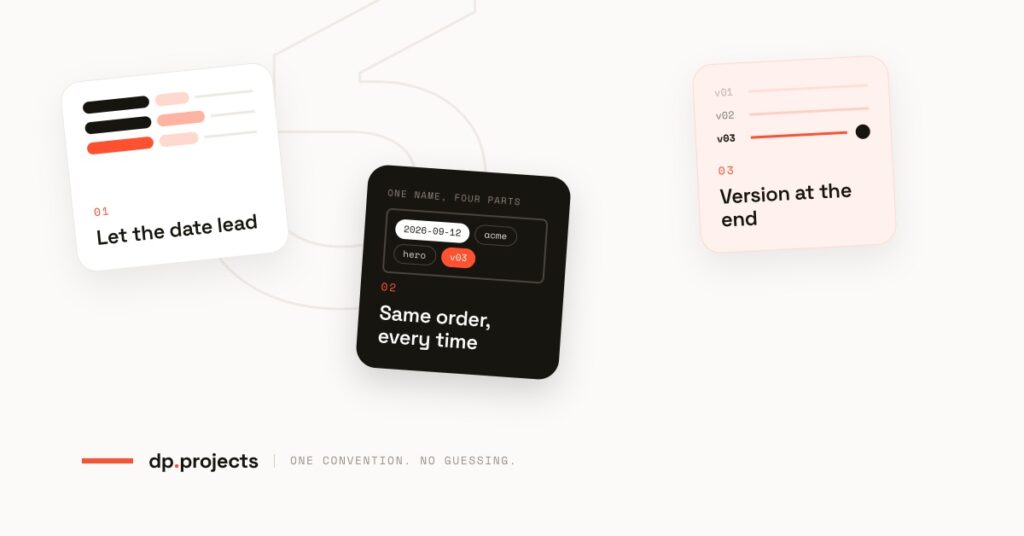
Date, project, what it is, version. Four parts, one order.
You know the folder. Six files, four of them called final, one called Untitled-1 copy, and the one that actually went to print is the one with the most exclamation marks. Somebody opens the wrong one. It goes out. You find out from the client.
The frustrating part is that nothing was lost. Every file was right there, correctly stored, backed up. The information was in the folder; it just wasn’t in the names.
A naming convention is the cheapest system a small business can put in place. It needs no software, no subscription and no training session, just one afternoon and an agreement that everyone sticks to it. Here is the one we set up with clients.
Same files. A fraction of the hunting.
Put the date first, in the only format that sorts
Start every name with the date, written 2026-09-12. Year, month, day, always two digits, always hyphens. It looks bureaucratic for about a week and then you never think about it again.
This is the whole trick: because the biggest unit comes first, sorting a folder alphabetically also sorts it chronologically. 12-09-26 does not do that. Sept 12 definitely does not do that. One format, and the folder orders itself for free, on every device, in every app, forever.
Use the date the work was produced, not the date you happened to save it. That is the date anyone looking for it will remember.
Then the project, then what it actually is
After the date comes the project or client, one short word, spelled the same way every single time. acme, not Acme one day and ACME Ltd the next. Then what the thing is, in two plain words a new starter would recognise: hero-banner, price-list, signed-contract.
Underscores separate the parts, hyphens live inside them. No spaces, no brackets, no apostrophes, no (Ellie’s edits), those break links, break uploads and look broken on the web. The name should read cleanly to a person and to a search box.
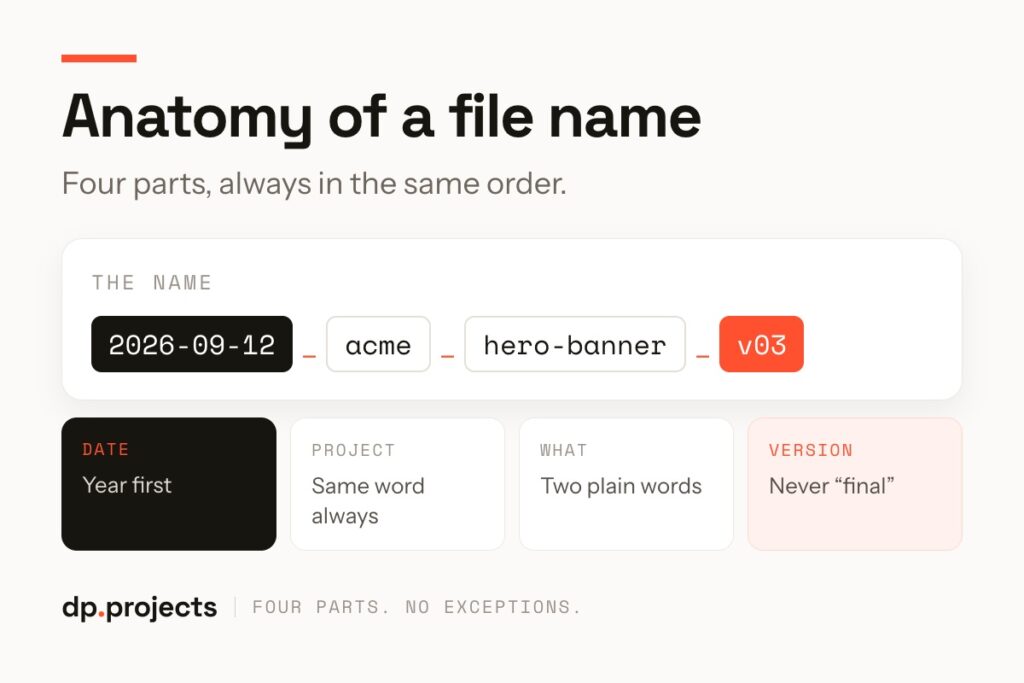
Four parts, in the same order, every time.
Version at the end, and one file called approved
Versions go last and they are numbers, not adjectives: v01, v02, v03. Two digits, because v10 sorting above v2 is a small indignity you only need to experience once. The word final never appears, for the reason everyone already knows: it is never final.
There is exactly one exception. When something is signed off, save a copy with approved in place of the version number. That file is the one that goes out, and it is the only file anyone outside the project team ever needs to open. Everything else drops into an _archive subfolder, which sorts to the top and stays out of the way.
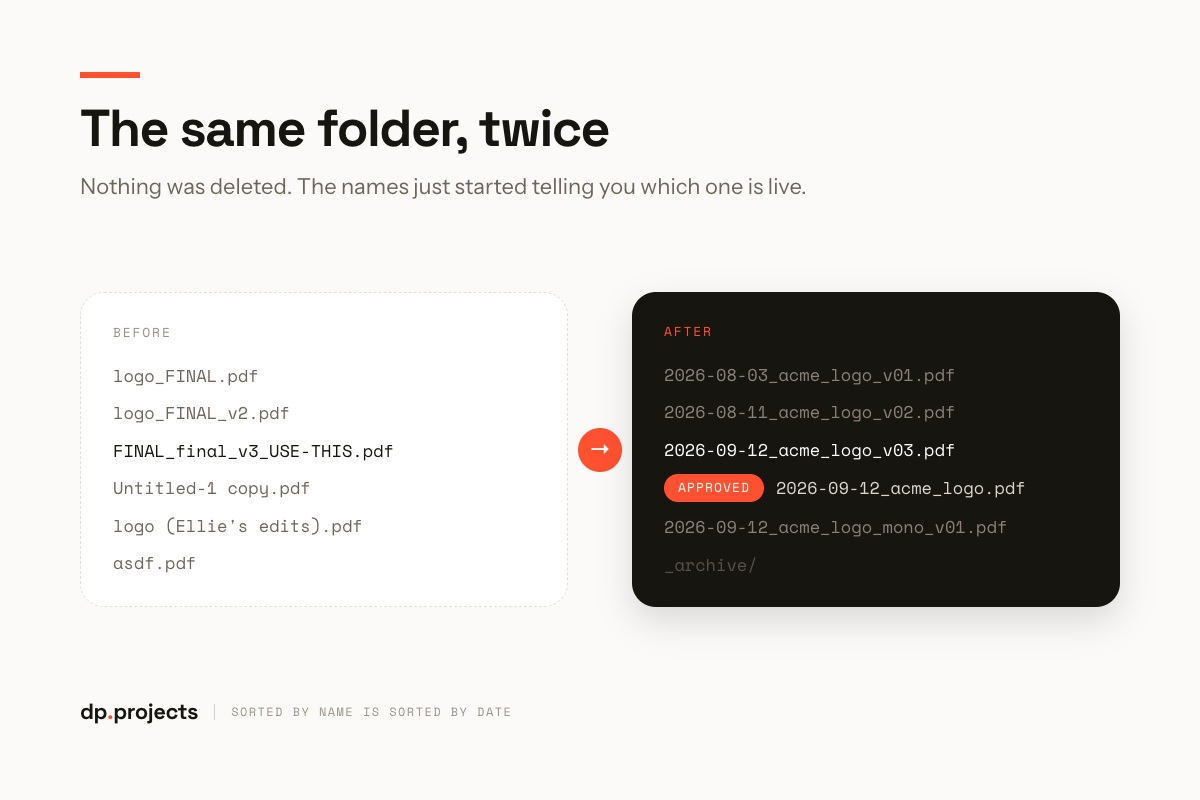
Nothing deleted. The names now tell you which one is live.
What actually changes
The number of files does not change, and neither does the folder structure. What changes is that the answer to “which one is the current one” is now visible without opening anything, so nobody messages you to ask, and nobody guesses wrong.
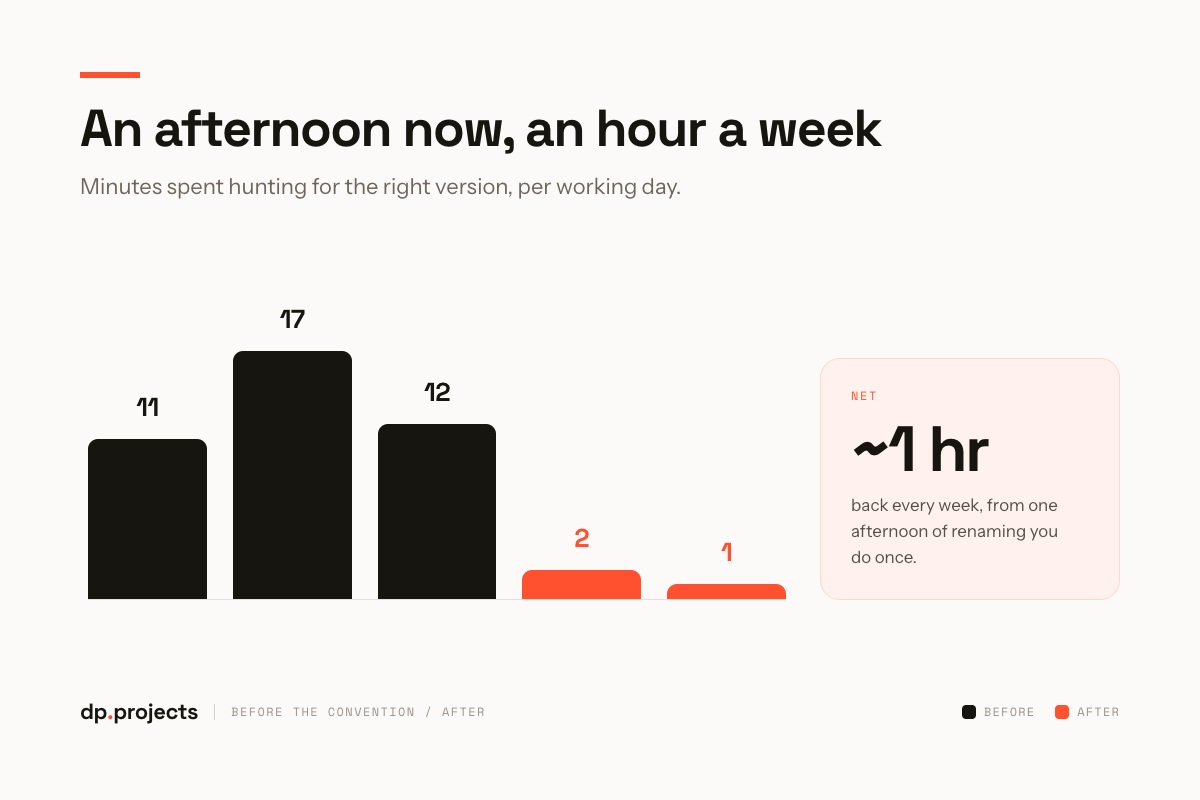
Minutes a day spent hunting, before and after.
Three rules that stop this backfiring
Naming conventions fail in predictable ways. These three habits are what make one survive past the first busy week.
Pick one live project this week and rename only what is in it. Date first, project, what it is, version last. Put a copy of the format at the top of the folder so the next person does not have to guess.
It’s a boring afternoon that keeps paying you back quietly, long after you have forgotten you spent it.
Is it the names, or the folders underneath?
Names fix finding. Structure fixes who owns what. We’ll map how your team actually stores work and set up both with you.